When we build a VR training lab, the headsets and the CAVE walls are rarely what slows things down. The 3D content is. A single chemical plant scenario can need dozens of models: pumps, valves, flanges, gauges, pipe racks, tools, safety signs. Traditionally each one meant hours in Maya or Blender, and a complicated pump could take a modeller several days.
That has changed a lot in the past eighteen months. Image-to-3D models from Microsoft, Tencent and a handful of startups now produce meshes with proper PBR materials, not just grey blobs. We have started using them on real projects, and the results are good enough that we wanted to write down how the process actually works, including the parts the demo videos tend to skip.
Why 3D content is the slow part of every XR project
A VR training scene has to look right, but it also has to run at 72 to 90 frames per second on a standalone headset. That means every asset needs sensible polygon counts, clean UVs, compact textures and correct real-world scale. An asset that looks great in a web preview can still bring a Quest headset to its knees.
So when people ask "can AI build our 3D models?", the honest answer is: AI can build the first 70 percent very quickly. The last 30 percent, making the model usable, is still a pipeline.
The workflow at a glance
Almost every serious AI 3D workflow we have seen in 2026 follows the same six steps:
- Reference: get one clean image of the object (or several angles).
- Generate: run image-to-3D to get a textured mesh.
- Clean up: fix holes, split parts, retopologize.
- UV and texture: unwrap, then bake or regenerate PBR maps.
- Optimise: reduce triangles, build LODs, set scale and pivots.
- Test: import into Unity or Unreal and check it on the target device.
Steps 1 and 2 are where AI saves the most time. Steps 3 to 6 are where most projects succeed or fail.
Step 1: Start with a good reference image
Most tools accept either text or an image, but image input wins almost every time. A text prompt like "industrial centrifugal pump" leaves the model guessing about proportions, colour and detail. A photo pins all of that down.
What makes a good reference:
- One object, centred, fully in frame. No other equipment overlapping it.
- Even, soft lighting. Hard shadows and bright reflections get baked straight into the texture, and they are painful to remove later.
- A three-quarter view. Front-on photos hide depth; a slight angle shows the model two faces at once.
- Plain background, or one you can mask out easily.
For real equipment, we usually photograph the actual unit on site. When that is not possible, a common trick is to generate a clean reference with an image model first, then feed that image into the 3D generator. If the tool supports multi-view input (Rodin and Hi3D both do), giving it front, side and back photos noticeably improves the hidden sides of the object.
Step 2: Generate the mesh
This is the step everyone has seen in demos. You upload the image, wait somewhere between a few seconds and a few minutes, and get a 3D model back.
Under the hood, the current generation of models works quite differently from the early "guess the depth" approaches. Microsoft's TRELLIS.2, released in December 2025 under the MIT license, uses a sparse voxel structure it calls O-Voxel and has about 4 billion parameters. It outputs geometry plus a full set of PBR maps: albedo, metallic, roughness, normal and opacity. Tencent's Hunyuan3D 2.1 pairs a 3.3B shape model with a separate 2B texture model, and Tencent's hosted Hunyuan 3D platform has moved on to newer 3.x engines.
A few practical tips from our own runs:
- Generate three or four variants and pick the best. Results vary from run to run, and it costs almost nothing.
- Look at the back. The side the camera never saw is where problems hide: smeared textures, fused parts, missing handles.
- Expect 20k to 300k triangles on a typical default output. High-detail modes on some tools go into the millions. That is fine for 3D printing, far too much for VR.
Step 3: Clean up and retopologize
Raw AI meshes are usually one sealed shell with uneven, triangulated topology. For a static prop that sits in the background, that can be acceptable. For anything the trainee will pick up, open, rotate or take apart, it is not.
This is where we bring the model into Blender and do three things:
- Repair. Close small holes, remove floating fragments, fix flipped normals.
- Separate parts. If a valve handle needs to turn in VR, it has to be its own object with its own pivot. Most generators fuse everything together, so this is often manual work. Some tools, like Tripo and Hunyuan3D Studio, now offer part-level generation, which helps.
- Retopologize. Auto-remesh tools (Quad Remesher, Instant Meshes, or the remesh options built into Meshy and Tripo) give you even quads and a sensible polygon budget. They do not give you edge loops placed around joints, so anything that bends, such as a character or a flexible hose, still benefits from manual retopology.
For a typical piece of industrial equipment, this step takes us between 30 minutes and a few hours. Compare that with the one to three days it used to take to model the same object from scratch.
Step 4: UVs and PBR textures
Once the topology changes, the original texture no longer lines up. You have two options:
- Bake. Unwrap the new low-poly mesh, then bake colour, normal and roughness detail from the original high-poly AI model onto it. This keeps the AI's surface detail while giving you clean UVs. It is our default.
- Regenerate. Many platforms (Meshy, Tripo, Hunyuan 3D) can re-texture a mesh from a reference image or a text prompt. This is handy when the original texture was full of baked-in shadows.
Two things to check before moving on. First, look for lighting baked into the albedo. If one side of the pump is permanently in shadow, it will look wrong under your VR scene's lighting. Second, check texel density: AI textures often spend too much resolution on one area and too little on another, which shows up as blurry patches when a trainee leans in close.
Step 5: Optimise for the headset
This is the step that turns a nice model into a VR asset. On a standalone headset we aim for:
- A clear triangle budget per asset, set by how close the trainee will get. A hero object on the workbench can afford far more than a pipe rack in the distance.
- LODs (levels of detail), so distant objects swap to lighter versions.
- Texture sizes of 1K to 2K for most props, packed into as few materials as possible to reduce draw calls.
- Real-world scale and correct pivots. A valve modelled at the wrong scale feels instantly wrong in VR, even if it looks perfect on a monitor.
- Simple collision meshes for anything the user can touch or grab.
None of this is new, and none of it is done by the generator. It is standard real-time 3D practice, and it matters more in VR than anywhere else because frame drops cause motion sickness.
Step 6: Test it in the engine
A model that looks right in a web viewer is not finished. Import the GLB or FBX into Unity or Unreal, put it in the actual training scene, and check it on the actual headset. Look at materials under the scene lighting, confirm interactive parts move around the right pivot, and watch the frame rate.
We have lost more time to skipping this step than to any other. Exports quietly drop materials, flip axes or change units, and you only find out inside the headset.
Choosing a tool
The landscape changes every few months, so treat this as a snapshot from autumn 2026 rather than a ranking:
- Meshy: hosted, strong on topology options and texturing, exports to most formats. Free-tier output is CC BY 4.0 and needs attribution; paid plans give private ownership.
- Tripo: hosted, built around game workflows with auto-rigging, quad remesh and engine bridges. The free tier is non-commercial.
- Rodin (Hyper3D): the most geometric detail, supports multi-image input. Plan on heavy decimation for real-time use.
- TRELLIS.2 (Microsoft): open source under MIT, runs locally on an NVIDIA GPU with around 24 GB of VRAM. A good choice when assets cannot leave your network.
- Hunyuan3D 2.1 (Tencent): open weights with strong PBR texturing. Read the license carefully: it excludes the EU, the UK and South Korea.
For training content tied to real industrial equipment, data privacy is often the deciding factor. Many of our clients would rather run an open-source model on a local workstation than upload photos of their plant to a cloud service. Whichever tool you pick, check the export rights and commercial license on a test asset before you build a whole scene around it.
How Aedu AI helps
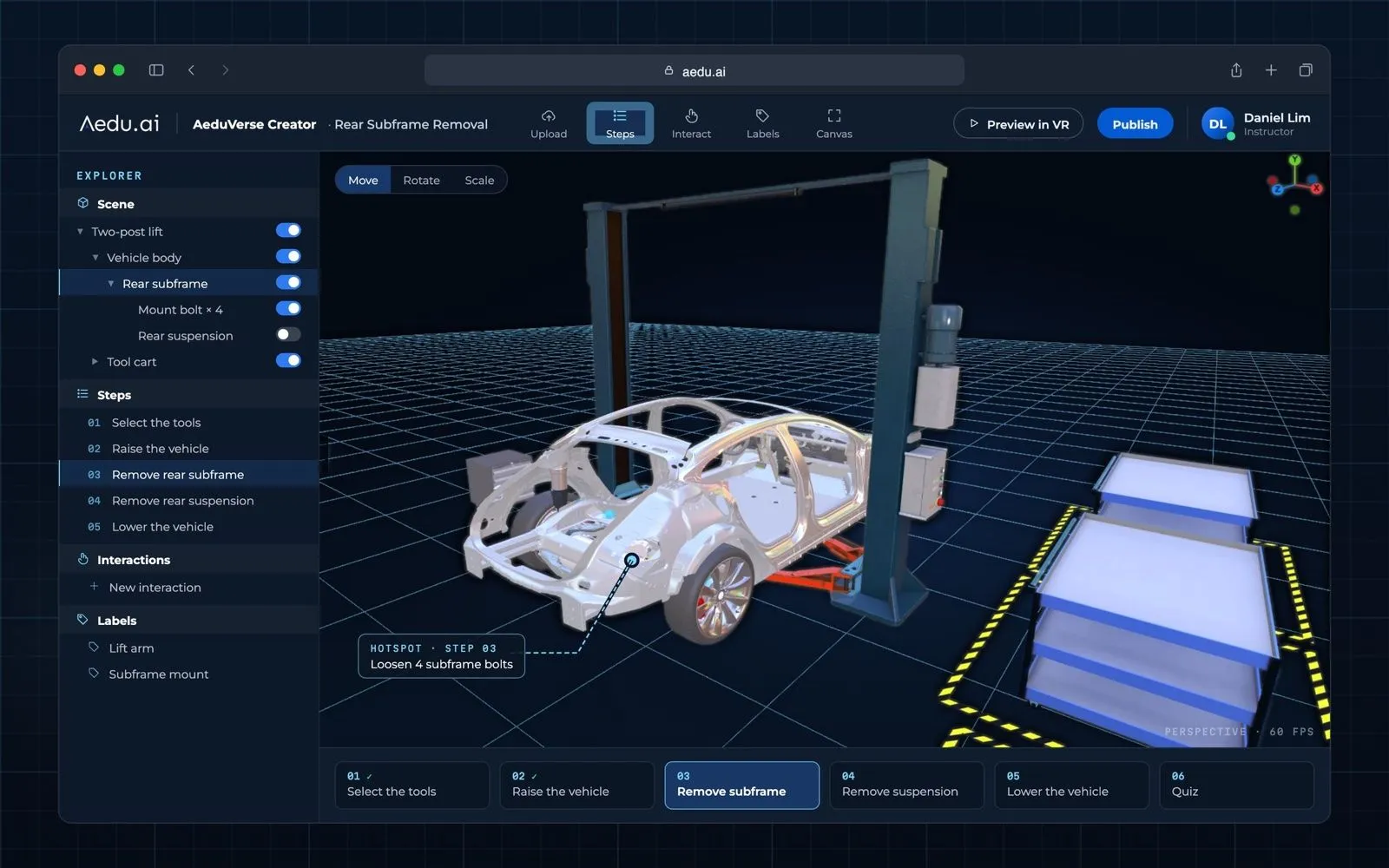
Aedu AI builds XR Labs for universities, vocational schools and industrial training centres, and 3D content is part of every project we deliver. We combine AI generation with hands-on modelling to turn your real equipment into optimised, interactive VR assets, then build them into step-by-step training scenarios that run in VR classrooms and CAVEs.
We can also set up a local AI 3D workstation inside your lab, so your own staff and students can produce content for future courses without sending data off-site.
See the XR Labs configurations, or get in touch to talk about your training content.
Key points
- Image-to-3D AI can now produce a textured, PBR-ready mesh in minutes, which removes most of the blocking-out and modelling time.
- A clean reference photo (even lighting, single object, three-quarter view) matters more than the choice of tool.
- Raw AI meshes still need repair, part separation, retopology, UV baking and optimisation before they work in VR.
- Standalone VR headsets set hard limits on triangles, textures and draw calls, so optimisation is not optional.
- Licensing differs a lot between tools; check export rights and commercial terms before production.
FAQ
Can AI fully replace a 3D artist for VR training content?
Not yet. It replaces much of the early modelling work, but repair, part separation, optimisation and engine testing still need someone who knows real-time 3D. In our experience the artist's role shifts from building models to directing and finishing them.
How long does it take to make one VR-ready asset with AI?
For a typical piece of industrial equipment, a few minutes to generate and roughly 30 minutes to a few hours to clean up and optimise, depending on how many interactive parts it has.
Can we run AI 3D generation without uploading data to the cloud?
Yes. Open models such as TRELLIS.2 and Hunyuan3D 2.1 run on a local workstation with a capable NVIDIA GPU. Check each model's license for your region and use case.
Is AI-generated 3D good enough for 3D printing?
Often, yes. High-detail, watertight outputs from tools like Rodin or Hi3D suit printing well. The polygon counts that make them too heavy for VR are not a problem for a printer.
Sources
- Microsoft, TRELLIS.2 project and repository: https://github.com/microsoft/TRELLIS.2
- ComfyUI Wiki, "Microsoft Releases TRELLIS.2: 4 Billion Parameter Image-to-3D Generation Model" (18 December 2025): https://comfyui-wiki.com/news/2025-12-18-microsoft-trellis2-3d-generation
- Lei et al., "Hunyuan3D Studio: End-to-End AI Pipeline for Game-Ready 3D Asset Generation", arXiv:2509.12815 (September 2025): https://arxiv.org/abs/2509.12815
- Cinevva, "Best AI 3D Model Generators in 2026 (Text-to-3D and Image-to-3D)": https://app.cinevva.com/guides/ai-3d-model-generators
- Fox Renderfarm, "Best AI 3D Modeling Tools in 2026": https://www.foxrenderfarm.com/share/ai-3d-modeling/
- Wavect, "AI 3D Model Generators for Game Development 2026": https://wavect.io/es/blog/ai-3d-model-generators-game-development-2026.md
- Scenario Help Center, "Comparing Generative 3D Models": https://help.scenario.com/en/articles/comparing-generative-3d-models/
- AI 3D Modeling
- Image-to-3D
- XR Content
- Simulation Training
- Digital Twin