The robot hand used to be the weakest part of a robot learning setup. That is changing quickly. Between late September and mid-October 2026, four companies announced new dexterous hands, and one of them also launched its own data glove. For universities and research teams planning a Physical AI lab, the choice of hand is now one of the first decisions to make, because it shapes the glove, the software and the data you will collect.
What launched
Sharpa W02 and AE01 (IROS 2026, 29 September). Sharpa, which is headquartered in Singapore, showed the W02 hand with 21 active degrees of freedom and a weight under 750 g. Its fingertips carry a tactile array rated from 5 mN to 30 N, with further touch sensing across the fingers and palm, and the hand is rated IP54. Sharpa also introduced the AE01 data glove for teleoperation and egocentric data capture: 22 degrees of freedom measured by 22 encoders, vibrotactile feedback at each fingertip, and fingertip repeatability below 1 mm. The release did not give prices.
Unitree Dex5-S (21 September). According to media reports, Unitree's new hand has 22 degrees of freedom, each driven by its own motor, weighs about 620 g and starts at 39,900 yuan (about US$6,000) for the standard edition. A Pro edition adds tactile sensing for research on touch-based grasping. It is designed for Unitree's G1 and H1 humanoids.
DH-Robotics ADH-5-13 and UDH-3-7 (IROS 2026, 30 September). The ADH-5-13 is a five-finger hand with 13 active degrees of freedom, fully direct-drive and backdrivable, weighing 735 g, with fingertip tactile sensing. DH-Robotics also demonstrated a three-finger hand, the UDH-3-7, and says its tools support ROS 2, NVIDIA Isaac and MuJoCo workflows.
Inspire-Robots RH37D1 (China International Industry Fair, October). A three-finger, fully direct-drive hand with 7 active degrees of freedom and 40 N fingertip force, aimed at industrial automation rather than humanlike manipulation.
Two trends stand out. Fully actuated five-finger hands are getting lighter and cheaper, and touch sensing is moving from an option to a standard feature.
Five questions to ask before you buy a robot hand
1. What tasks will students and researchers teach it? Humanlike manipulation of everyday objects and tools calls for a five-finger hand. Industrial picking and assembly can often be done with a three-finger hand, which is simpler and stronger.
2. How many degrees of freedom, and how are they driven? More active joints mean more humanlike motion, but also more work mapping a human hand onto the robot and more data to learn from. Check whether every joint has its own motor or some joints are coupled, and whether the hand is backdrivable, which makes contact safer and teleoperation smoother.
3. Does it sense touch? Contact-rich tasks such as inserting, twisting or picking up soft objects are hard to learn from vision alone. Fingertip or skin sensors give the learning system information cameras cannot see, and they matter even more if the operator wears a haptic glove.
4. What software does it support? Look for a ROS 2 driver, a simulation model for NVIDIA Isaac Sim, Isaac Lab or MuJoCo, and a published control interface and rate. A hand that exists in simulation lets your team start teaching before the hardware arrives.
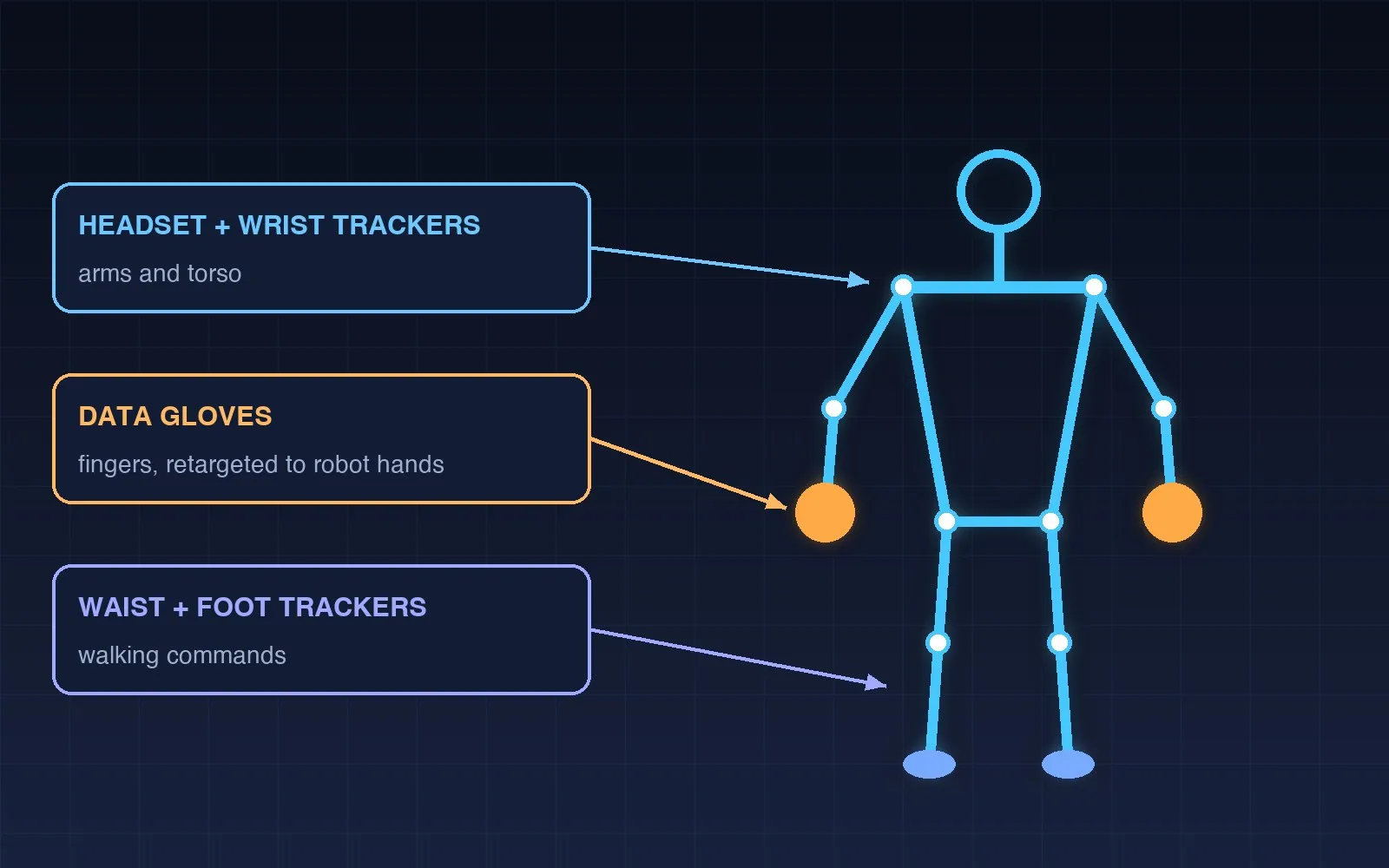
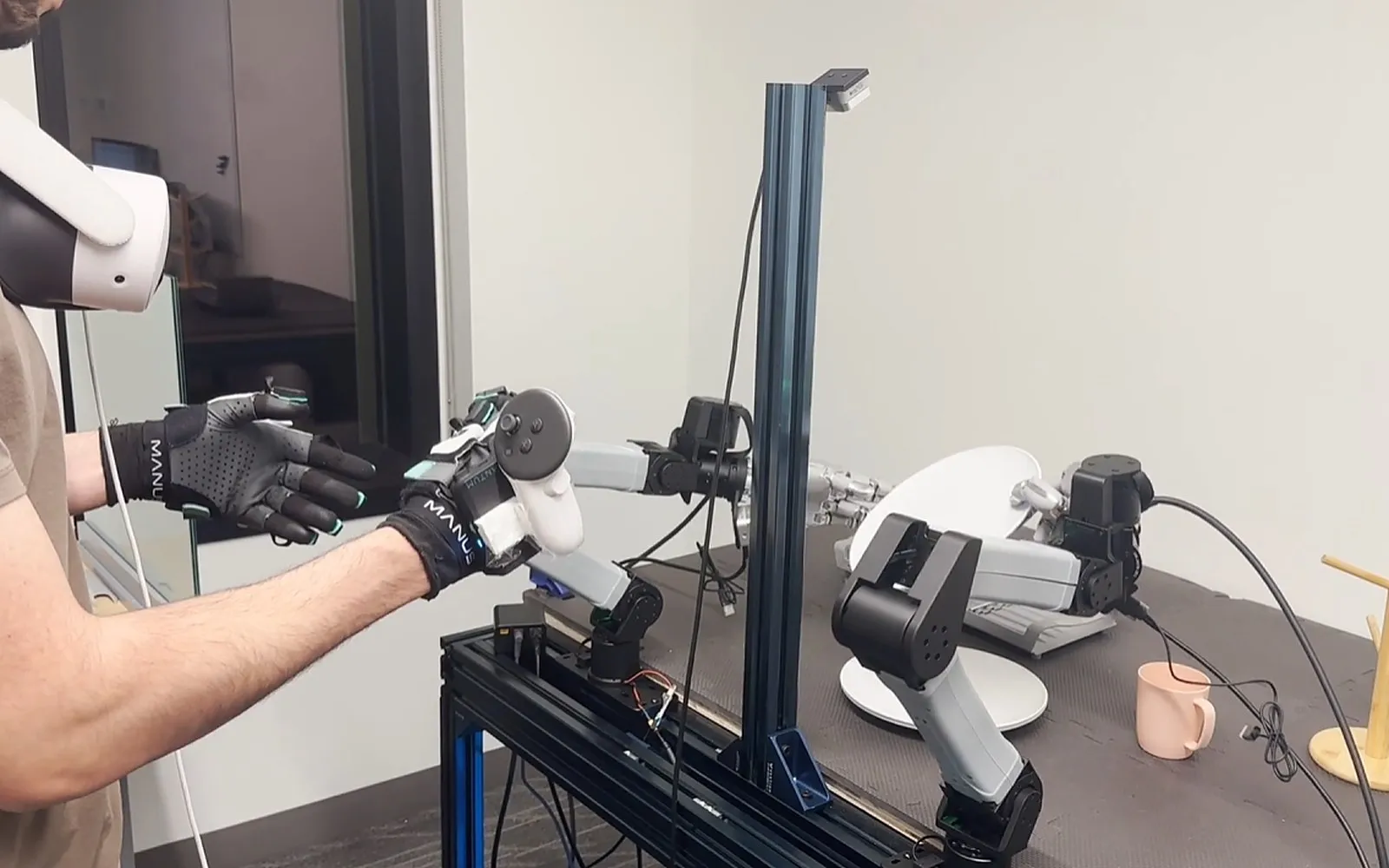
5. How will you collect demonstrations with it? A hand is only as useful as the data you can record with it. Decide how operators will drive it, usually with a data glove and wrist tracking, and check that the glove and teleoperation software support that specific hand.
Pairing the hand with a data glove
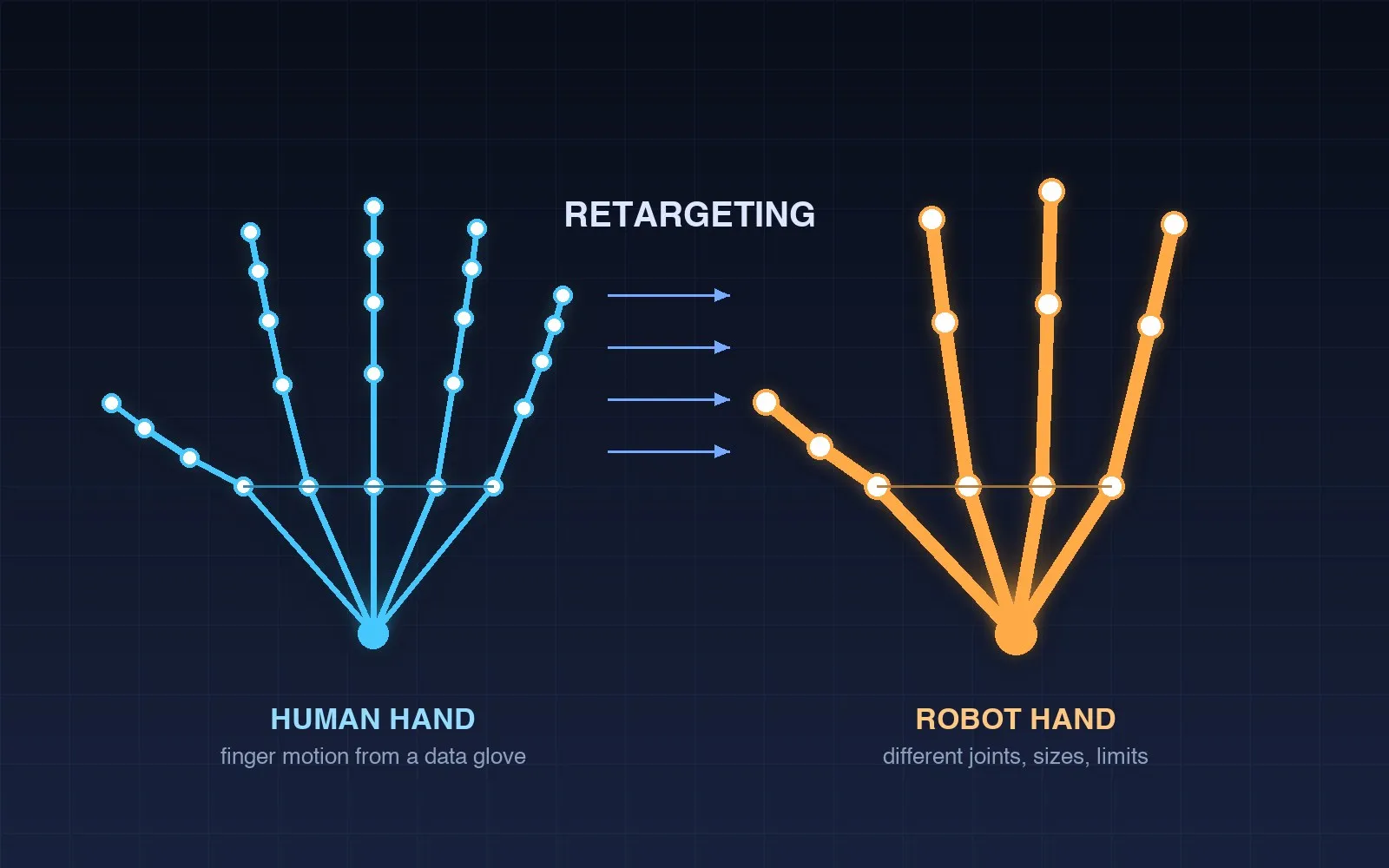
A data glove measures the operator's hand, and retargeting software maps those joint angles onto the robot hand, which has different finger lengths, joint limits and often fewer joints. Two things decide how well that works: how accurately the glove tracks the fingers, especially when they close around an object, and whether a ready retargeting profile exists for your hand.
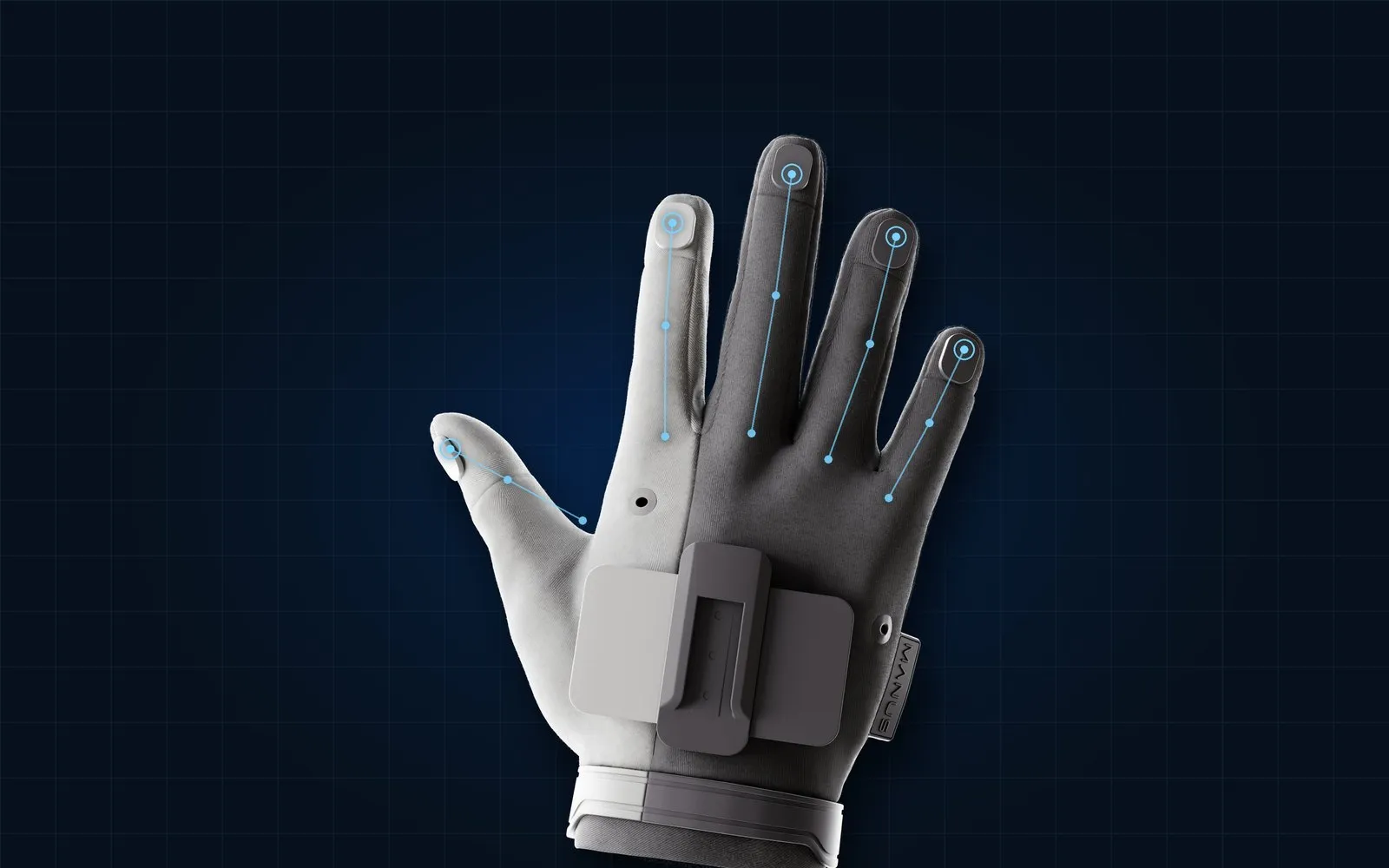
MANUS, whose gloves we supply, lists integrations with more than 50 robot hand models, including the Sharpa Wave, Inspire E2, Psyonic Ability Hand, Tesollo DG-5F, Agibot Omnihand, Robotera Xhand 1 Pro and DexRobot DexHand021 Pro, through its SDK for C++, Python and ROS 2. MANUS gloves are also officially supported in NVIDIA Isaac Teleop through a dedicated plugin. For a newly launched hand, check the current support list or plan time for retargeting.
For feeling contact, MANUS Metagloves Pro Haptic add a vibration motor at each fingertip. For tasks where the operator needs to feel force at the arm, a desktop force-feedback device such as Haply Inverse3 can drive the robot arm with up to 10 N of feedback.
A practical path for university labs
Most labs do not need to buy everything at once:
- Start in simulation: gloves, wrist tracking and a GPU workstation running Isaac Lab, teleoperating a simulated version of the hand you are considering.
- Add one real station: a collaborative arm with the chosen hand, RGB-D cameras and synchronised recording.
- Scale up: a second arm and hand, or a humanoid upper body, with several stations recording in parallel.
We set out equipment, software and layout for each phase in How to Build a Physical AI Teaching Lab, and the data side in Teleoperation or Human Video?.
Aedu AI designs, supplies and installs Physical AI Labs in Singapore and across Southeast Asia, and supplies MANUS data gloves and Haply force feedback with setup and retargeting support. If you are choosing a robot hand for your lab, .
Key points
- Sharpa, Unitree, DH-Robotics and Inspire-Robots announced new dexterous hands between late September and October 2026; Sharpa also launched the AE01 data glove.
- Five-finger hands with 21 to 22 degrees of freedom now weigh 620 to 750 g, and touch sensing is becoming standard.
- Before buying, check tasks, degrees of freedom and actuation, touch sensing, software and simulation support, and how you will teleoperate the hand.
- Retargeting quality depends on glove accuracy and on a ready profile for your specific hand; MANUS lists integrations with more than 50 hand models and is supported in NVIDIA Isaac Teleop.
- Start in simulation, then add one real station, then scale.
FAQ
What is a dexterous robot hand?
A robot hand with several independently moving fingers, usually three to five, that can grasp and manipulate objects in many ways rather than simply open and close like a gripper.
How many degrees of freedom does a research robot hand need?
It depends on the task. Humanlike manipulation research often uses five-finger hands with around 20 active degrees of freedom; industrial picking can work well with three fingers and about 7. More joints give more dexterity but need more data and careful retargeting.
What does direct-drive or backdrivable mean for a robot hand?
The fingers can be pushed back by external force instead of being locked by their gearing. That makes contact safer and gentler, and it helps the hand follow a teleoperator smoothly.
Can one data glove control different robot hands?
Yes, through retargeting software that maps the glove's hand model onto each robot hand's joints. Check that a profile exists for your hand or plan time to build one.
Who supplies dexterous hand teleoperation setups in Singapore?
Aedu AI, based in Singapore, designs and installs Physical AI Labs and supplies MANUS data gloves and Haply Inverse3 force feedback, with setup and retargeting support for universities, research institutes and robotics teams across Singapore and Southeast Asia.
Sources
- PR Newswire, "Sharpa Unveils Three Flagship Products: D01 Robot, W02 Dexterous Hand and AE01 Data Glove at IROS 2026" (29 September 2026)
- PR Newswire, "DH-Robotics Debuts 13-DOF Direct-Drive Dexterous Hand at IROS 2026" (30 September 2026)
- BigGo Finance, report on the Unitree Dex5-S launch (September 2026)
- Gasgoo, "Inspire-Robots Launches RH37D1 Series Three-Finger Dexterous Hand" (16 October 2026)
- MANUS, "Data Gloves for Teleoperation & Humanoid Robot Training"
- Cover image: MANUS Metagloves Pro product image (MANUS) on an illustration by Aedu AI.
- Physical AI Lab
- Dexterous Robot Hand
- Data Glove
- Robot Teleoperation
- Buying Guide