Polytechnic and ITE electronics labs
Hands-on PCB design, assembly and testing for electrical and electronic engineering courses, without a chemical etching room.

Products · Desktop PCB prototyping
Make a double-sided PCB on your desk in about 30 minutes. Test, fix and build the next revision the same day, with no chemicals, drilling or waiting for a factory.
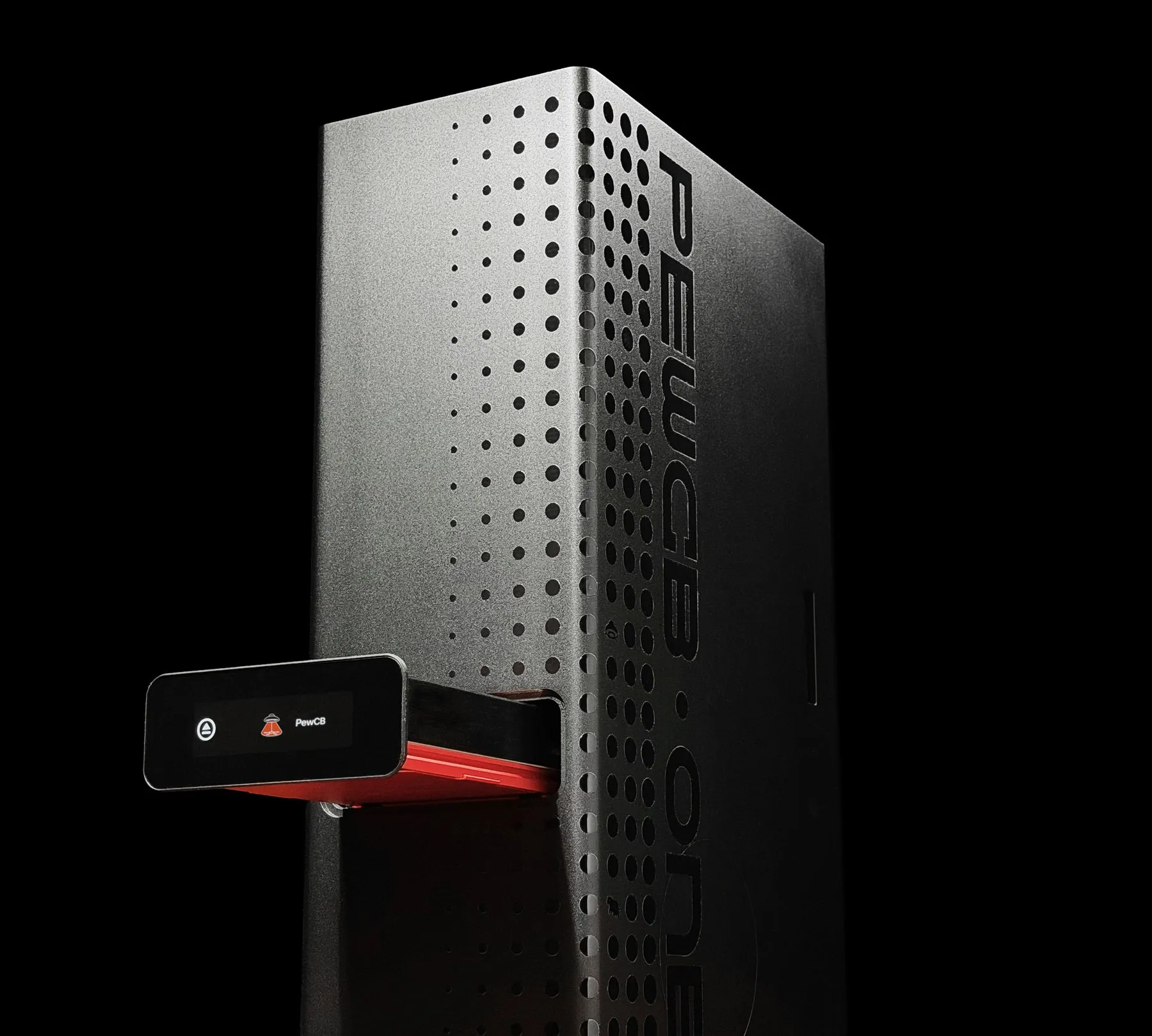
Workflow
Laser processing takes about 15 minutes. The only manual step left is assembly, and the laser-cut stencil makes that fast.
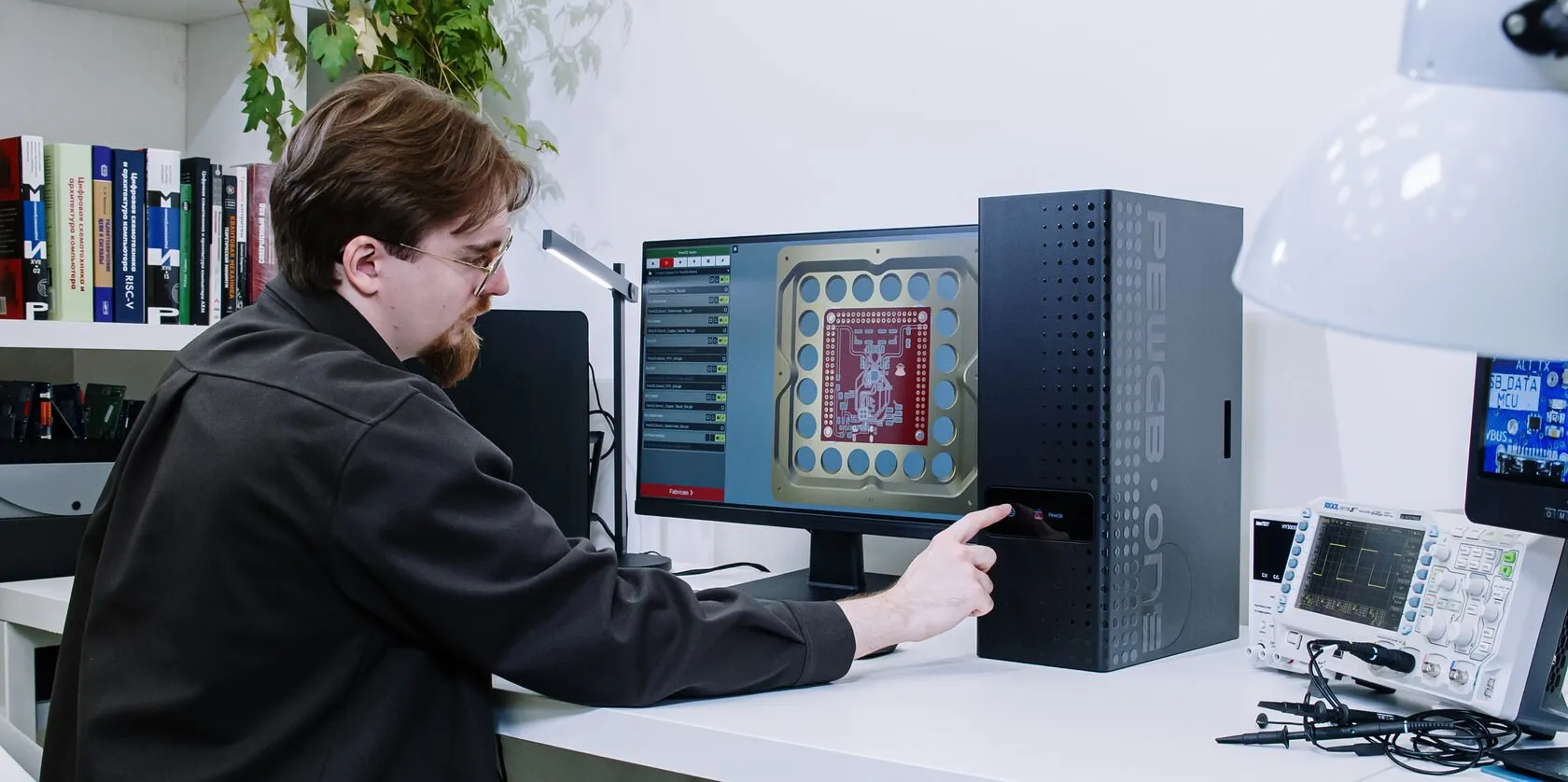
Design the board in your EDA tool, export Gerbers, open them in the PewCB app and press Start. Setup and optical calibration run automatically.
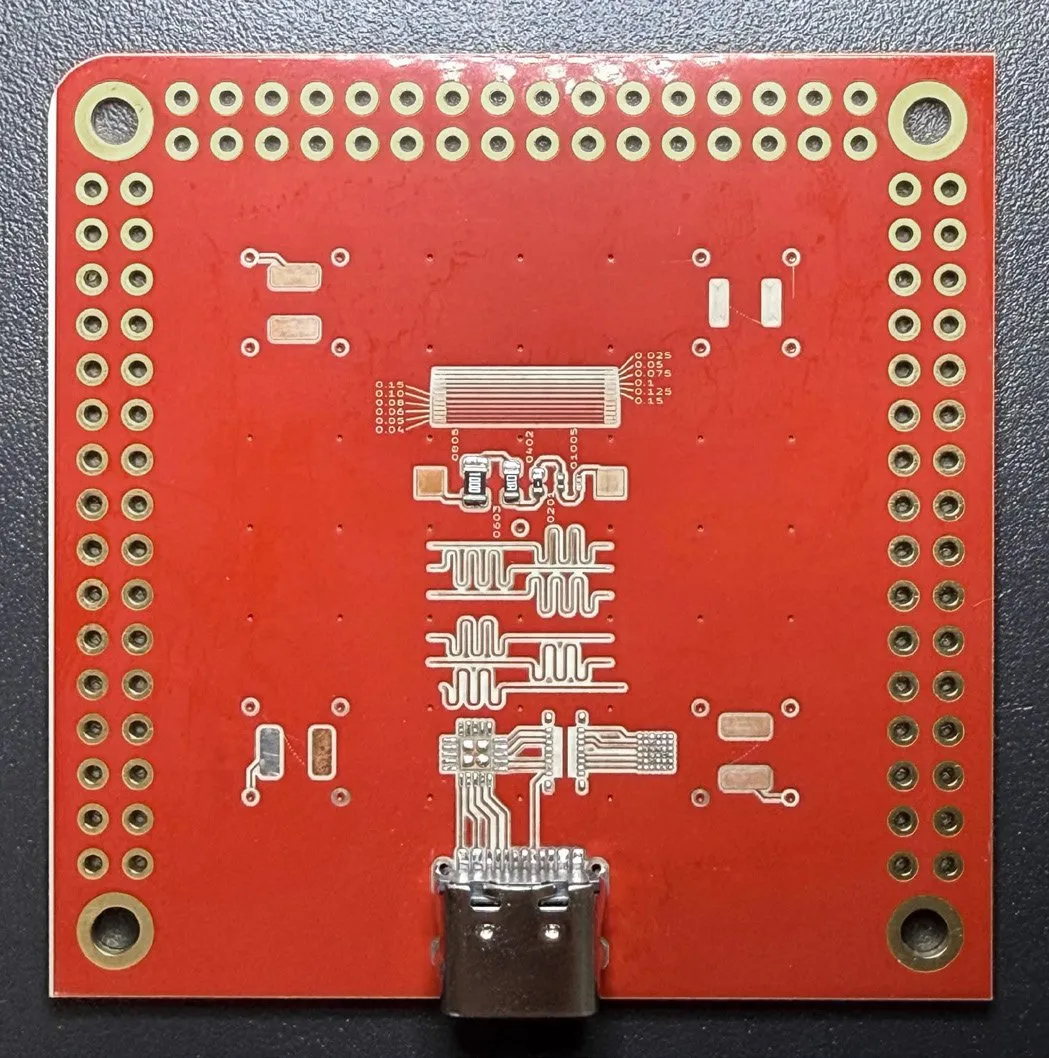
The laser removes solder mask, copper and substrate to leave traces and pads: 5 to 10 minutes for the PCB.
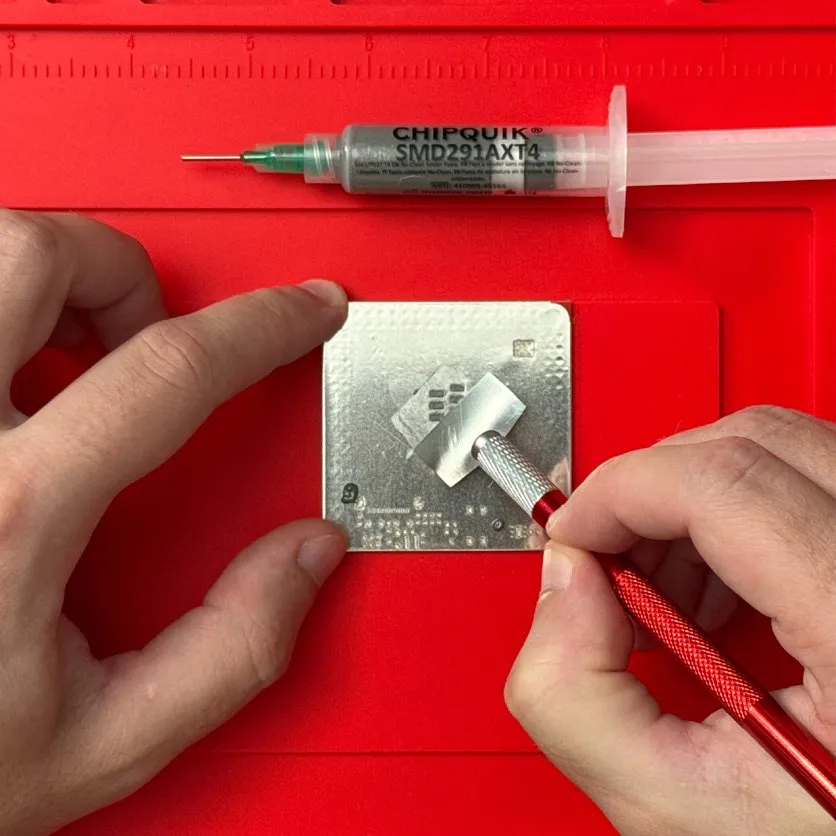
A stencil sheet goes on the finished board and the laser cuts openings aligned to the pads in about 5 minutes. Apply solder paste.
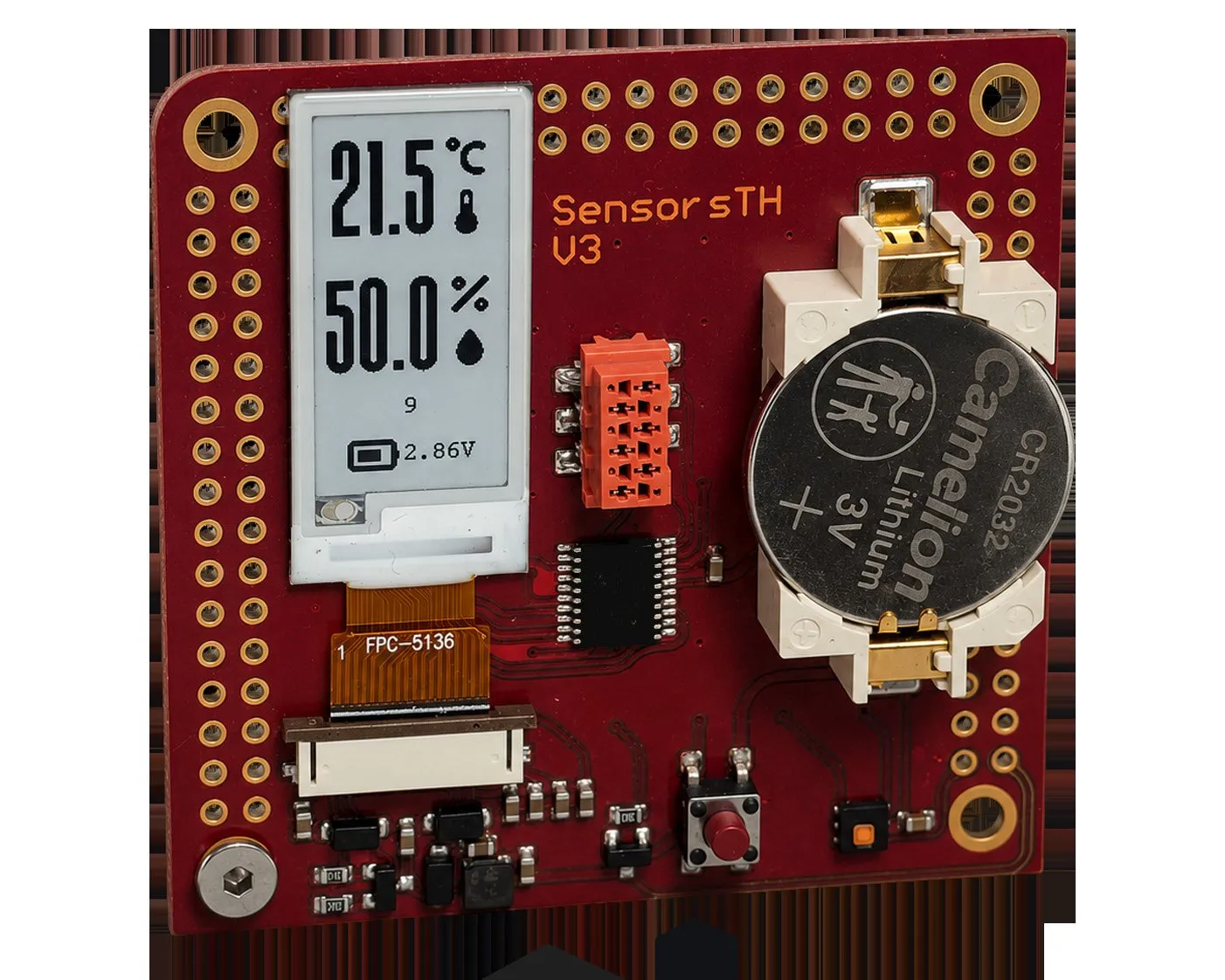
Place the parts, reflow on a hot plate and clean with IPA. The prototype is ready to test the same day.
Production quality
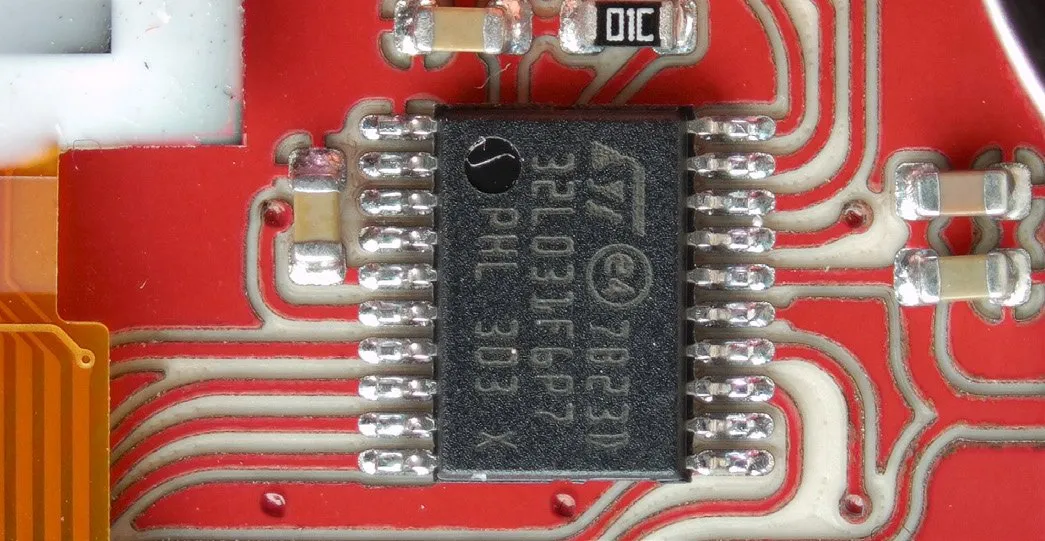
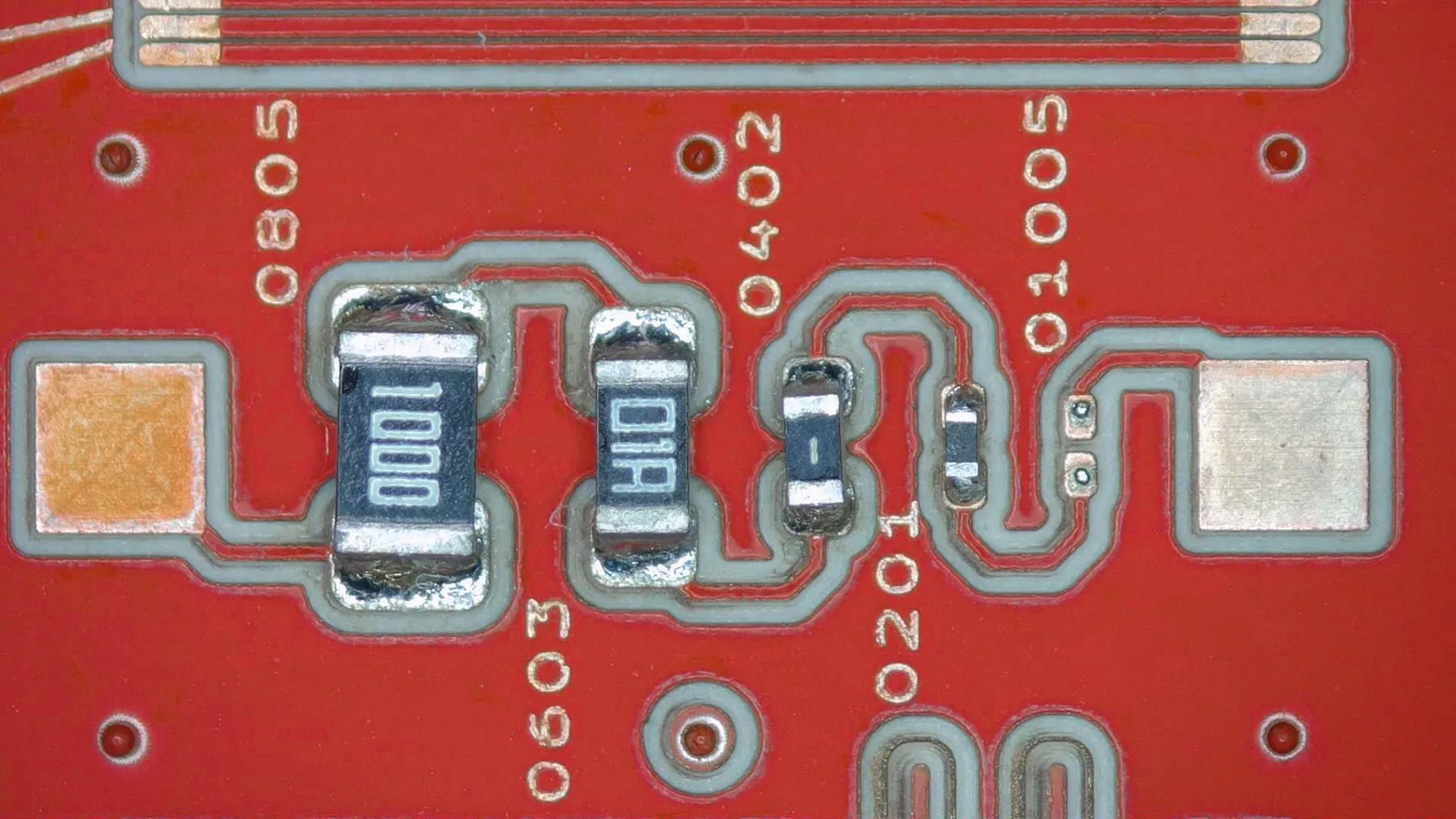
High precision and carefully chosen blank materials give board features comparable to factory-made PCBs: QFN packages at 0.5 mm pitch and below, dense digital and RF layouts, and 0201 passives.
Before every job the system calibrates its optics automatically. A patented photodetector-array method keeps the beam on target across the whole work area.
PCB blanks
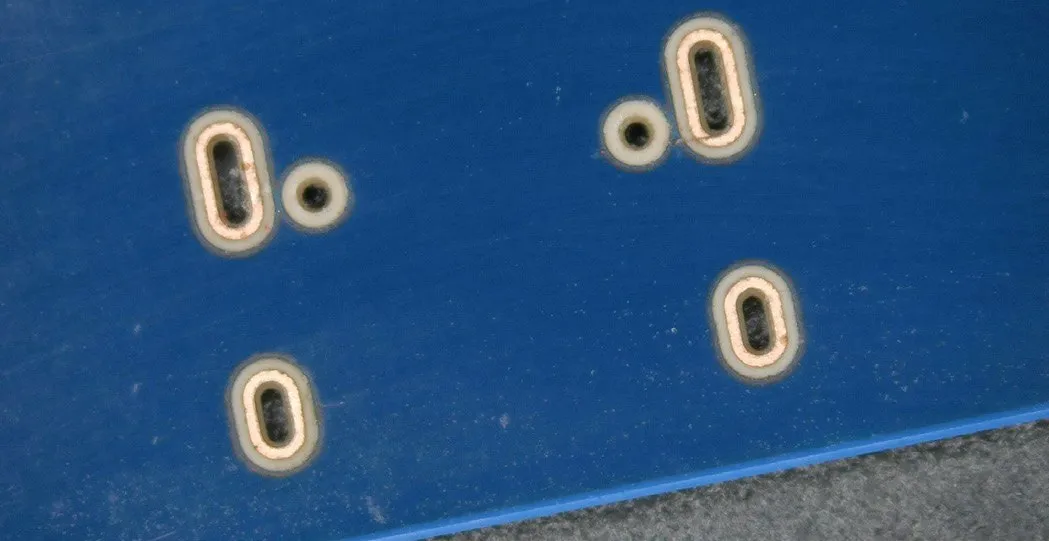
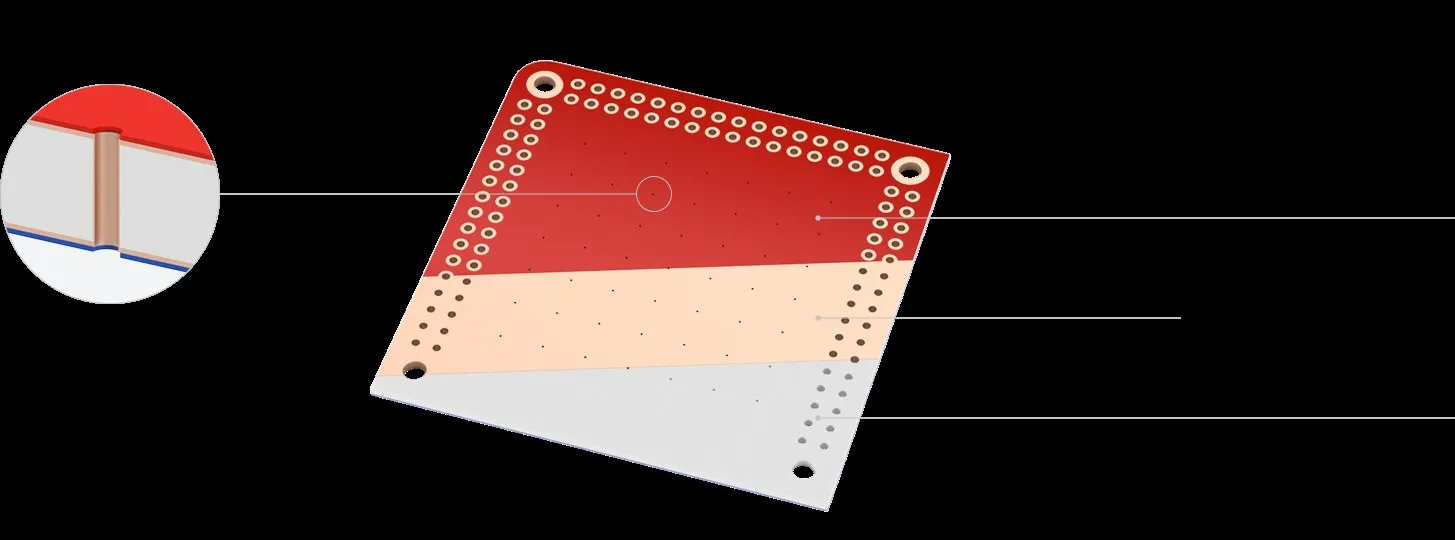
Each blank is a double-sided ceramic board with a plated via grid and plated through-holes already made at the factory.
Built-in via grid
Plated vias connect the top and bottom layers with no drilling or electroplating. Route traces to the nearest via to change layers.
Pre-applied solder mask
Controls solder flow and reduces bridges. Colours follow eCAD convention: red on top, blue on the bottom.
Ceramic substrate
Copper-clad alumina or zirconia withstands laser processing and soldering heat, and spreads heat evenly during reflow.
Plated through-hole rows
Two rows at 2.54 mm pitch along the edges for connectors and through-hole parts, or as extra vias.
Sizes and templates
Blanks from 23 × 23 mm to 84 × 84 mm, with ready-made templates for most EDA tools. Custom sizes and hole patterns on request.
Drilling
Chemical processing
Electroplating
No longer required
Malleable stencils
After the board is made, a single-use stencil sheet goes on top and the laser cuts its openings from your paste layer. The result is fast, precise paste and clean joints without bridges.
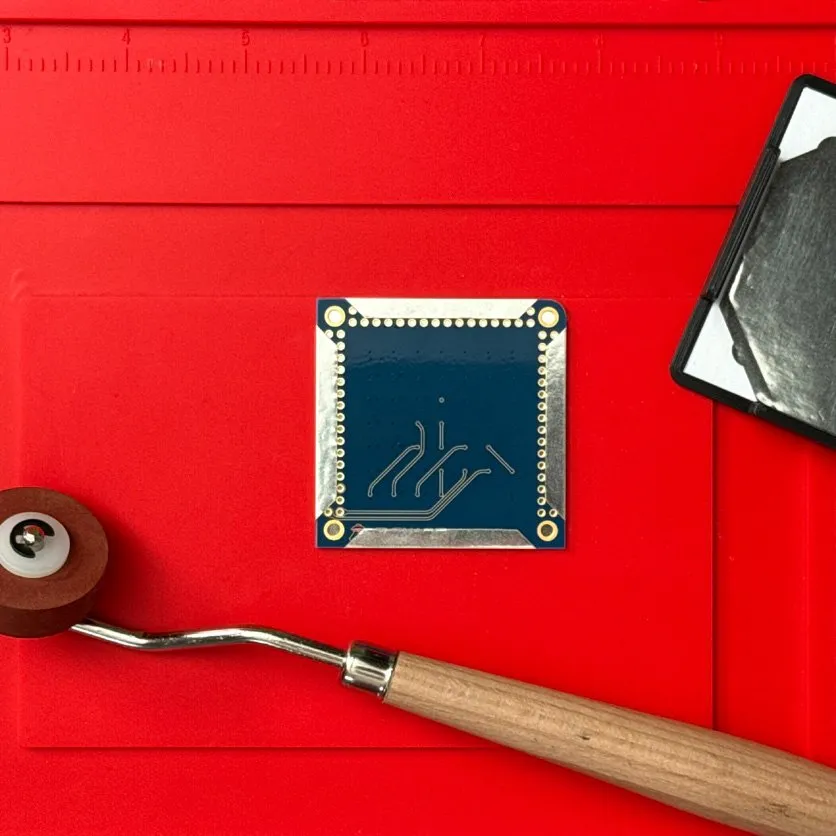
01 · Attach
02 · Apply paste
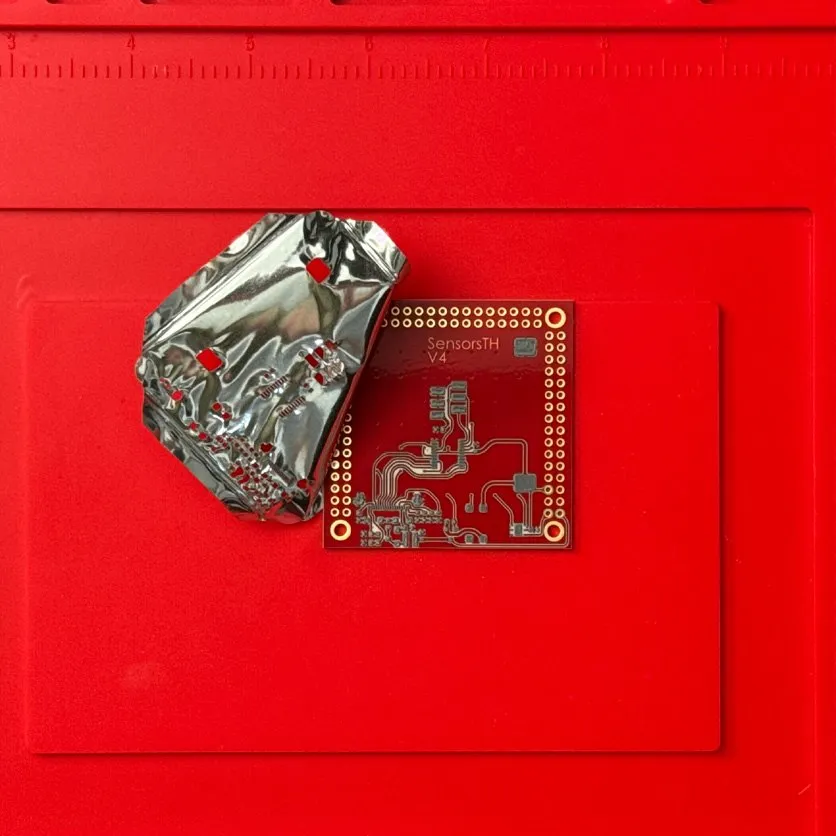
03 · Peel off
Pads line up by themselves
The stencil is cut while attached to the board, so there is no fiducial matching, frame or jig.
Fast, clean paste
The sheet stays on the board while paste is applied, then is thrown away.
Tin-plated pads
As the openings are cut, a thin tin layer is deposited on the copper pads for better solderability.
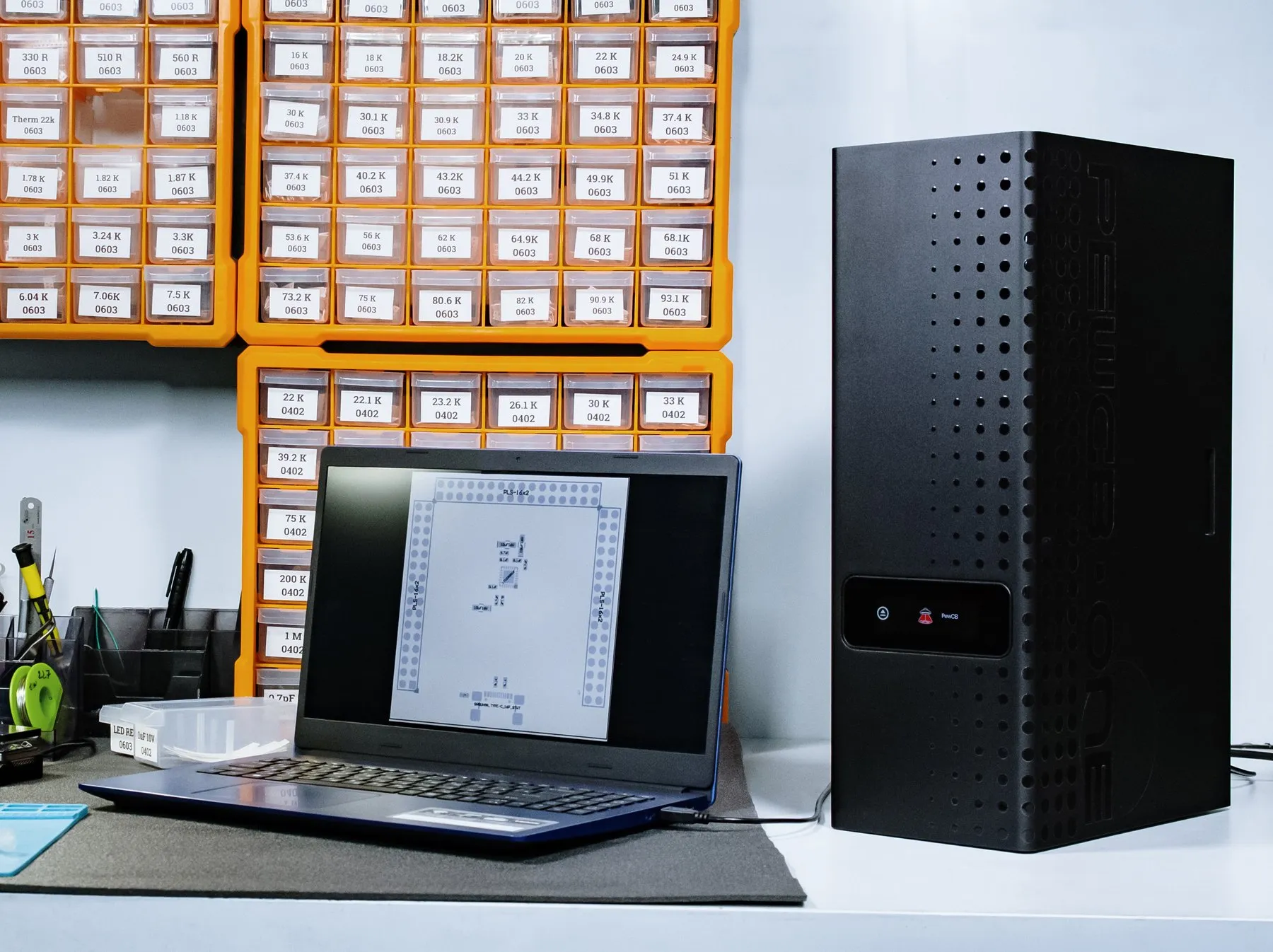
Desktop PCB lab
It needs no lab room, fume hood or special environment. It works right on the desk.
The size of a desktop PC
155 × 290 × 464 mm, running from a normal wall socket. No separate room, fume hood or exhaust.
Three-stage filtration
G4 pre-filter, F7 fine filter and activated carbon remove fumes, dust and odours. The software tracks filter life.
Safety first
Class 1 laser: the laser fires only with the tray fully closed, sensors stop the tray if it is blocked, and an internal camera shows the job live.
For engineering education
Long lead times mean most students only simulate circuits. With PewCB One they go through the whole hardware cycle in one session.
From idea to hardware in one lab session
Students design a PCB, make it, assemble, program and test it before the class ends.
The full cycle, not just simulation
EDA, PCB, assembly, firmware and testing. Power, routing and firmware mistakes become real lessons.
Classroom safe
Fully enclosed with built-in filtration, so it can sit in a teaching lab or classroom.
Who it is for
For teams that want circuit boards made on site, without chemicals, drilling or plating, and without waiting for a factory.
Hands-on PCB design, assembly and testing for electrical and electronic engineering courses, without a chemical etching room.
Final-year projects, research rigs and sensor boards made in-house the same day, instead of waiting for a PCB factory.
Adapter boards, breakouts, test jigs and subsystem prototypes in about 30 minutes, so each design revision takes hours, not weeks.
A clean, enclosed desktop machine that runs from a normal wall socket, safe to use around students.
Specifications
Manufacturer specifications.
Pricing
In US dollars as listed by PewCB. Shipping, import duties and local taxes are not included.
PewCB OneEarly Bird
$4,990USD
FAQ
Aedu AI supplies the PewCB One desktop PCB prototyping system in Singapore, Malaysia and Southeast Asia. The manufacturer price is USD 4,990 (early bird) before shipping, import duties and local taxes; ask Aedu AI for a quote delivered to your campus or office.
Yes. It is built for engineering education as well as R&D: students can design, make, assemble, program and test a working PCB within one lab session. It is a Class 1 laser product with built-in filtration, so it can sit in a classroom or teaching lab without a fume hood or separate room.
Double-sided boards made by milling or chemical etching usually need drilling and through-hole plating, or chemical baths. PewCB One uses blanks with a factory-made plated via grid, so a double-sided board needs no drilling, chemicals or electroplating, and the same machine cuts the solder-paste stencil.
About 30 minutes from Gerber files to an assembled prototype. Laser processing takes about 15 minutes: 5 to 10 minutes for the PCB and about 5 minutes for the stencil. The rest is placing parts and reflow.
Yes. The blanks are double-sided with a factory-made grid of plated vias and rows of plated through-holes along the edges, so no drilling, chemical processing or electroplating is needed. Route traces to the nearest via to change layers.
Modern SMD parts: QFN packages at 0.5 mm pitch and below, dense digital and RF sections, and 0201 passives. Through-hole parts go in the plated holes at 2.54 mm pitch, and the laser can cut extra holes when needed.
Yes. It is a Class 1 laser product: the laser is fully enclosed and only fires with the tray closed. A three-stage filter (G4, F7 and activated carbon) removes fumes and dust, so no exhaust, fume hood or separate room is needed.
Via positions are fixed by the blank's grid; the ceramic substrate is stiff and can crack if dropped; and it conducts heat well, so use hot air, a hot plate or a reflow oven rather than only a soldering iron. Zirconia blanks behave closer to FR4 for hand soldering.
The main consumables are PCB blanks (USD 139 for 20 pieces, 53 × 53 mm) and stencil sheets (USD 20 for 20 pieces). Custom blank sizes and hole patterns are available on request.
Work with us
Tell us how many systems and blanks you need and where they will be used, and we will reply by email with a quote including delivery to you.